
Workflows
Run with UI Mode
Use the project's native Playwright UI Mode inside Wrightbench.
The Run destination embeds Playwright UI Mode from the active project's local installation. Filters, watch state, timeline context and test selections remain Playwright-owned.
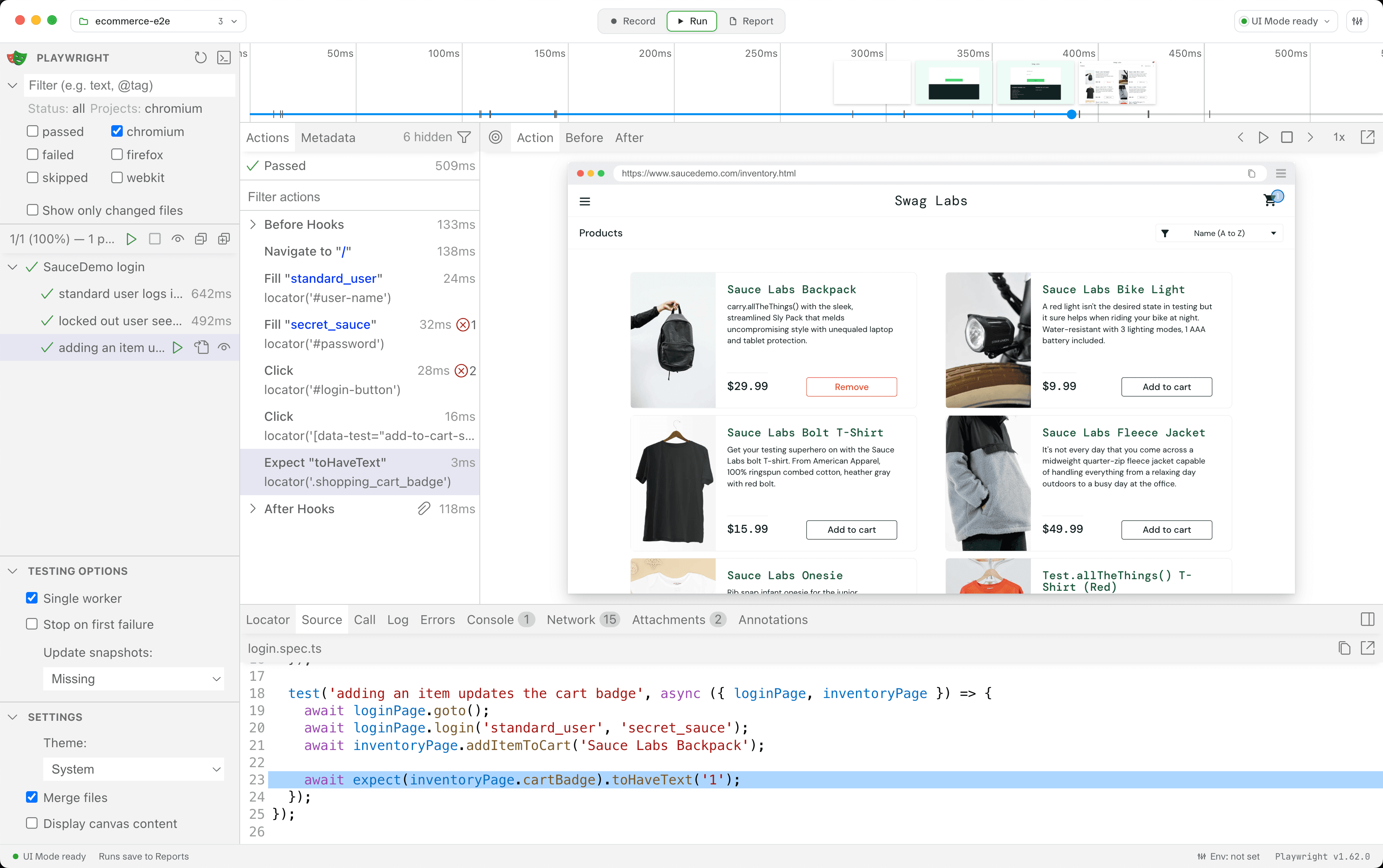
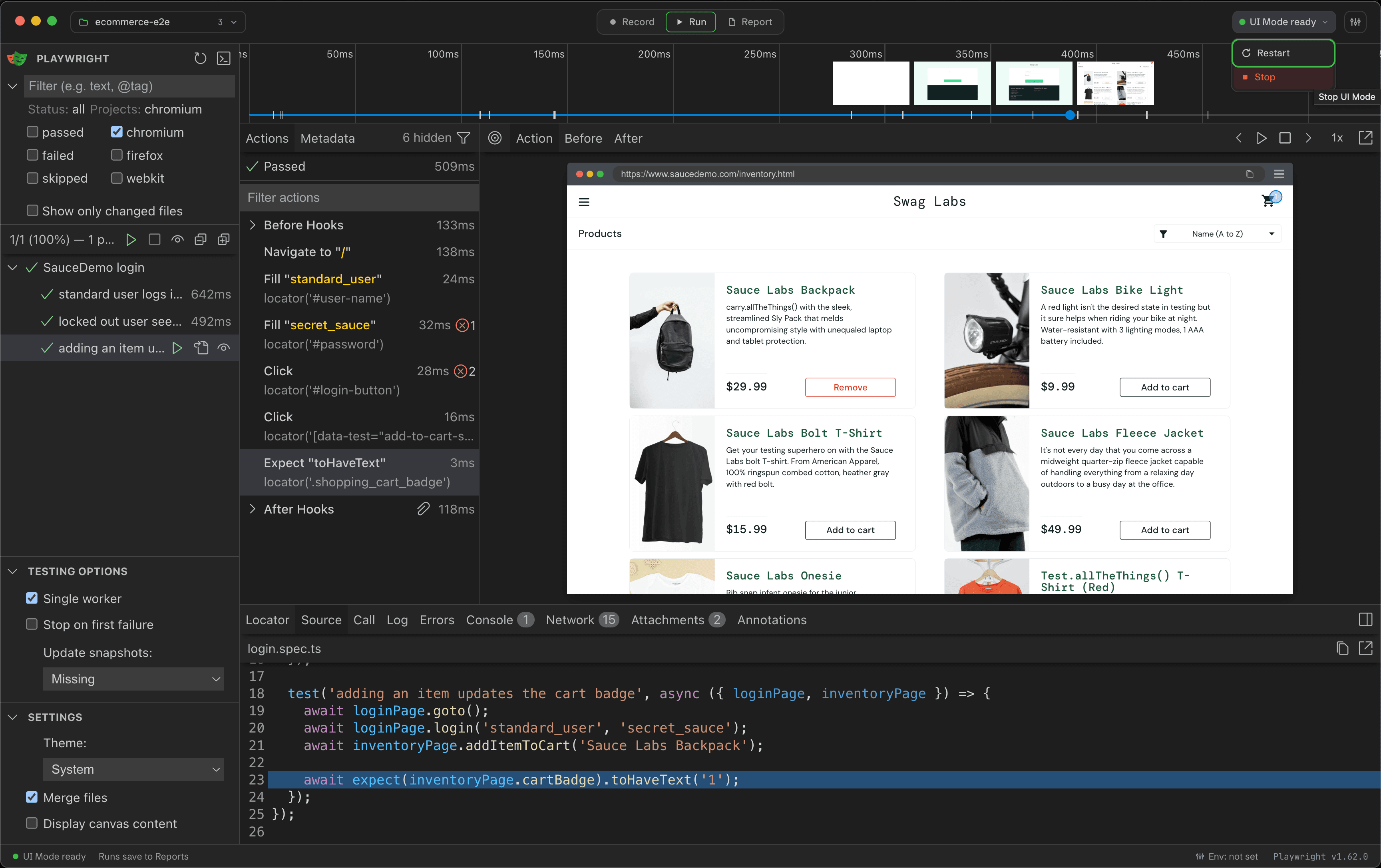
Session lifecycle
- The session starts on demand when Run first opens.
- It remains mounted when you visit Record, Report or Settings.
- Project switching, an explicit restart or stop, app quit, and certain CLI runs end the session.
- Wrightbench never reloads the guest just because you changed destinations.
Restart or stop UI Mode
Use the UI Mode status control in the workspace titlebar. Restart replaces the current session after Wrightbench applies its execution-safety checks. Stop ends it until Run is opened again.
Run history
Supported Playwright versions write UI Mode run events to a bounded local side channel. Wrightbench ingests completed runs into the same history used for CLI executions. If that adapter cannot support a future or older Playwright build, UI Mode continues to work and Wrightbench shows that recording is unavailable.